


Weather Forecast - Local Radar
4.7120.00 Reviews
App Specs
- Version
- 1.3.6
- Updated On
- License
- Free
- Downloads
- 1,000,000+
- Developer
- ZANKHANA PTE LTD
- Categories
- Weather
- Platform
- Android, iOS
Screenshots
 Analysis by AppCompare
I judge a weather app less by how busy its screen looks than by whether it helps me make a better decision before I leave home. Weather Forecast - Local Radar is built around that everyday need: checking conditions for where I am and getting a closer look at what the weather may be doing nearby. It makes the most sense as a practical companion for planning a commute, a walk, or a change of plans, rather than as a specialist tool for studying meteorology.
Why a weather check depends on the connection
Live forecasts and radar are most useful when the app can load current information. That means the experience naturally depends on connectivity: I would check the forecast while I still have a reliable connection, especially before heading into an area where service may be weak. A radar view can help me judge whether precipitation is approaching, but it is not a substitute for looking at conditions again if the weather is changing quickly.
This is a useful distinction when deciding how much to rely on any phone-based forecast. I use an app like this to inform a choice, not to treat a map as a guarantee. If a storm could affect a drive, an outdoor event, or someone’s safety, I would check the latest conditions before setting out and stay alert to local warnings. The convenience is real, but so is the need to refresh information when circumstances change.
Useful checks on the move
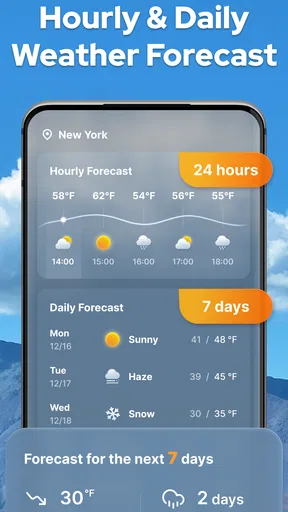
The strongest everyday use is a quick decision at the point when I need it. Imagine getting ready to walk to work: an hourly view can help me compare the timing of conditions with my departure, while the radar gives a visual sense of precipitation in the area. I can then decide whether to take a coat, shift my departure, or choose a different route. That is more actionable than glancing at a single daily high and low.
For trips, adding another city is a practical habit rather than just a novelty. I can check the destination before packing or compare the weather there with home while making plans. The trade-off is that forecasts become less useful as a substitute for a local, current check when the journey is underway. I would use the app to prepare and then revisit it when I have a dependable connection, rather than assume an earlier screen will stay current.
When radar helps—and when it can mislead
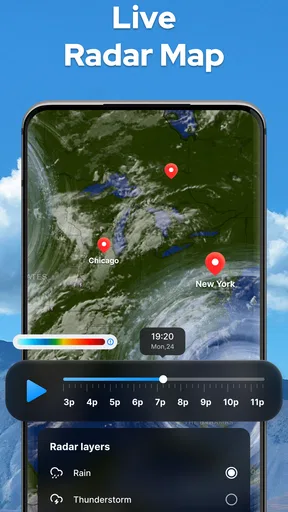
A map earns its place when the question is about location and timing: is rain near me, and does it appear to be moving toward the area I care about? Zooming in can make a nearby look more useful; zooming out can put a local patch of weather into a wider regional picture. I find that switching between those views is a better workflow than leaving the map at one scale and drawing a firm conclusion from it.
There is a limit, though. A radar image is a snapshot of a changing situation, and a phone display cannot make uncertain weather certain. I would not use a single map view to decide that an outdoor plan is definitely safe or that a route will remain clear. For high-stakes decisions, local official alerts and current conditions should take priority. That is the sensible boundary for a convenient consumer weather app, including this one.
Worth Reading Before You Choose

Baby Panda World Brings Quick Play to Modern Phones, but Its Game Library Feels Busy

ESPN’s Live Game View Makes Following Close Games Easier

QuizzLand Review: A Good Fit for Short Trivia Breaks, Not Every Player

Basketball Stars: Multiplayer Is Fast, but Can It Recover When Matches Go Wrong?

WEBTOON Turns Phone Updates Into a Better Reading Routine

Link to Windows Runs on Shared Habits, Not Social Feeds
Who will get the most from it
I’d recommend it to someone who wants forecasts, a radar view, and weather details in one place without needing to learn a complicated interface. It suits people who check the weather several times during a normal day, households coordinating errands, and anyone who often needs to decide whether to move an activity indoors. The combination of hourly and weekly views supports both immediate choices and rough planning ahead.
It is less suited to a user who needs professional-grade analysis, highly specialized mapping, or a forecast workflow built around outdoor operations. In those cases, a dedicated specialist service may offer tools better matched to the task. It may also not be the right pick for someone who expects every forecast to be exact: weather prediction is inherently uncertain, and no attractive interface can remove that uncertainty.
Getting Started with Weather Forecast - Local Radar
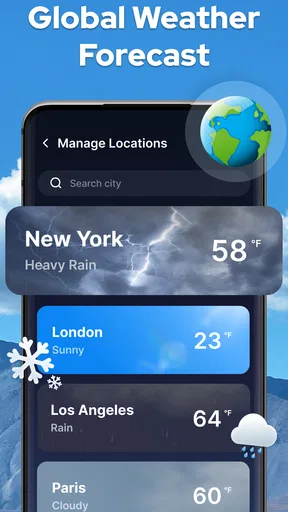
First things first, downloading the app is a breeze. Just head over to the App Store or Google Play Store, and you’re good to go. Once installed, the app greets you with a clean and intuitive interface. No clutter, no fuss—just straightforward weather updates. The app opens with your current location’s forecast, but you can easily add other cities if you’re a jet-setter or just like keeping tabs on the weather elsewhere.
Features That Stand Out
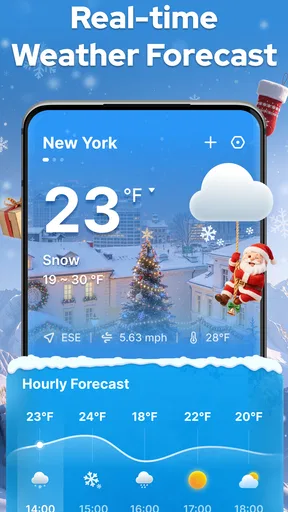
What I love about Weather Forecast - Local Radar is its simplicity paired with powerful features. It offers hourly and weekly forecasts, so you’re never caught off guard. The radar feature is particularly impressive, providing real-time updates on precipitation, wind, and temperature. It's like having a mini meteorologist in your pocket!
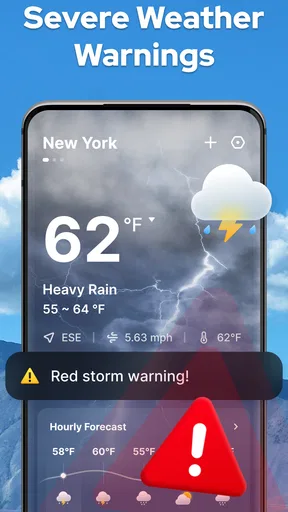
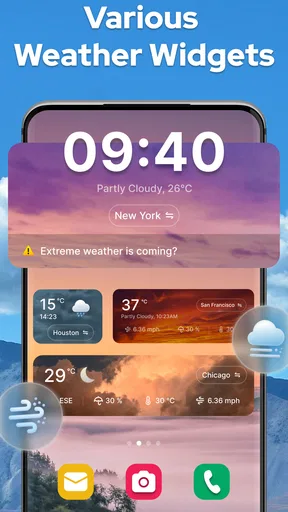
The app also includes alerts for severe weather conditions. So if there’s a storm brewing, you’ll know about it before it hits. This feature alone can be a lifesaver, especially for those living in areas prone to sudden weather changes. Plus, the app's widget options make it super easy to get a quick glance at the weather without even opening the app.
Usability and Navigation
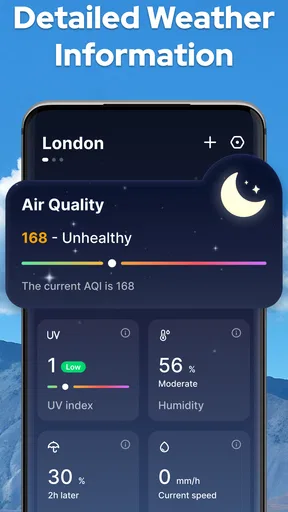
Navigating through the app is a walk in the park. The developers have done a fantastic job in ensuring that everything is just a tap away. Whether you want to check the humidity levels, wind speed, or the UV index, it’s all laid out neatly. The interface is responsive, ensuring a smooth user experience without any lag or crashes.
The color schemes and graphics are easy on the eyes. The radar maps, in particular, are detailed but not overwhelming. You can zoom in for a closer look or zoom out to get an overview of larger weather systems. It’s all about giving you control over what you want to see.
Practical settings and trade-offs
One small habit makes a weather app more useful: I check the details that match my actual decision instead of scanning every available number. For an afternoon walk, precipitation timing and the broader radar picture matter more to me than a long list of conditions. For a hot day outdoors, UV information deserves more attention. This keeps the screen from becoming a collection of interesting but irrelevant readings.
Widgets are convenient for a glance, but I treat them as a prompt to check further, not as the final word when the forecast matters. If I see a change that could affect a plan, opening the app and looking at the hourly forecast or radar is a more sensible next step. That two-stage routine balances speed with a little more context, without turning every weather check into a research project.
Another useful approach is to add only the places I genuinely need. Keeping home and a regular destination together makes comparisons quick; adding a long list of cities can make a simple check slower and less focused. For occasional travel, I would add the destination while planning, then remove it later if it is no longer useful. The point is to make the forecast serve a decision, not to maintain a catalogue of places.
Connectivity, interruptions, and recovery
If a forecast screen is slow to refresh or a map does not load as expected, I would first check whether the phone has a working connection and try again when it does. For a time-sensitive plan, I would avoid assuming that an older view still reflects current conditions. A quick refresh before leaving is a small step, but it matters more than repeatedly interpreting a screen whose information may have become stale.
When service is unreliable, I plan around that uncertainty rather than expecting the radar to remain useful throughout the trip. I check the weather before entering a low-coverage area and use local alerts or other dependable information sources when the consequences of missing a change are serious. This is not a flaw unique to this app; it is a practical limit of relying on live weather information through a mobile connection.
Location is another part of the setup to think about. The app opens with the current location’s forecast, which is convenient when I want conditions where I am. For a place I am planning to visit, adding the city gives me a deliberate alternative to relying only on the current-location view. That distinction helps prevent a common mistake: checking the weather at home and assuming it will match the destination.
Price, fit, and expectations
This is a free weather app from ZANKHANA PTE LTD, and its 4.6 average from around 14,000 ratings suggests that many users find it worthwhile. It has more than one million installs, is rated for everyone, and the current version is 1.3.4. The app was released on January 17, 2024, and it requires Android 6.0 or later. Those details make it accessible to a broad range of Android users, while the app is also available on iOS.
There are in-app purchases at $1.99 per item, so I would start with the free experience and decide whether any optional purchase is worth it for my own habits. The key question is not whether a paid option sounds more complete, but whether I regularly use the functions it unlocks. If the essentials already cover my routine—checking the day, comparing hours, and viewing radar—there is no reason to spend simply because an upgrade is offered.
Compared with the default weather app that comes with a phone, this one may appeal if you want the radar and weather details presented together in a dedicated place. Compared with specialist weather services, its draw is a more approachable everyday check rather than deep technical analysis. I would choose based on the question I ask most often: for a quick umbrella decision, simplicity wins; for highly specific weather work, a specialist tool is the better fit.
Why It’s Worth Your Time
Now, let’s talk about why this app is worth the download. In a world where weather apps are a dime a dozen, Weather Forecast - Local Radar stands out with its accuracy and user-friendly design. It doesn’t bombard you with ads, and the free version covers all the essentials. If you’re someone who likes digging deeper into weather data, there’s a premium version available that unlocks even more features.
Another cool aspect is the community-driven feedback that helps improve the app regularly. The developers are active, constantly rolling out updates to fix bugs and enhance performance. This commitment to quality ensures that you’re using a reliable app every time you check the weather.
Final Thoughts
If you’re looking for a weather app that is accurate, easy to use, and doesn’t try to do too much, Weather Forecast - Local Radar is a fantastic choice. It covers all the basics and then some, making sure you’re always prepared for whatever Mother Nature throws your way. Whether you’re planning a picnic or just need to know if you should bring a jacket, this app has got you covered.
In conclusion, Weather Forecast - Local Radar is not just an app; it’s a reliable companion for anyone who wants to stay ahead of the weather game. So, go ahead and give it a try. Who knows? It might just become your new favorite app!
My connectivity verdict
For me, the app is most valuable when I use it as a connected planning tool: check the local forecast, compare the relevant hours, and use radar to add context before committing to an outdoor plan. Its practical appeal is that those checks sit together in an approachable weather app, rather than requiring me to start with a complex specialist interface.
The trade-off is straightforward: current conditions and radar are only as useful as the information available when I check them. I would happily use it for everyday decisions, but I would not rely on a previously viewed screen during a long trip or treat a forecast as a safety guarantee. If that balance suits you, it is an easy app to try; if you need offline certainty or professional-level weather analysis, I would look for a different kind of tool.
Pros
- Accurate weather predictions.
- Real-time radar updates.
- User-friendly interface.
- Customizable alerts.
- Comprehensive location coverage.
Cons
- Frequent ads can be intrusive.
- High battery usage.
- Limited free features.
- Occasional data lag.
- Requires constant internet connection.
FAQs for Weather Forecast - Local Radar
What features does Weather Forecast - Local Radar offer?
Weather Forecast - Local Radar provides real-time weather updates, including temperature, humidity, wind speed, and seven-day forecasts. It also offers radar and satellite imagery, severe weather alerts, and customizable notifications. The app supports multiple locations, allowing users to monitor weather conditions in various cities at once.
Is Weather Forecast - Local Radar free to use?
The app is free to download and use; however, it may offer in-app purchases or a premium version. The premium version typically provides additional features such as ad-free experience, advanced radar options, and more detailed weather insights. Check the app store for the latest pricing details.
How accurate is the weather data provided by the app?
Weather Forecast - Local Radar sources its data from reliable meteorological services and uses advanced algorithms to ensure accuracy. While no weather app can guarantee 100% accuracy due to the unpredictable nature of weather, this app is generally considered reliable for short-term forecasts and real-time updates.
Does Weather Forecast - Local Radar offer severe weather alerts?
Yes, the app provides severe weather alerts for conditions like storms, hurricanes, and heavy rainfall. Users can customize alert settings to receive notifications only for specific weather events. This feature helps users stay informed and prepare for adverse weather conditions efficiently.
Can I use Weather Forecast - Local Radar offline?
While the app requires an internet connection to update its data and provide real-time forecasts, some features like previously downloaded weather information and basic radar images may be available offline. However, for the most accurate and up-to-date information, an internet connection is recommended.


